
USB 4 vs Thunderbolt 5: Which One Should You Actually Choose?
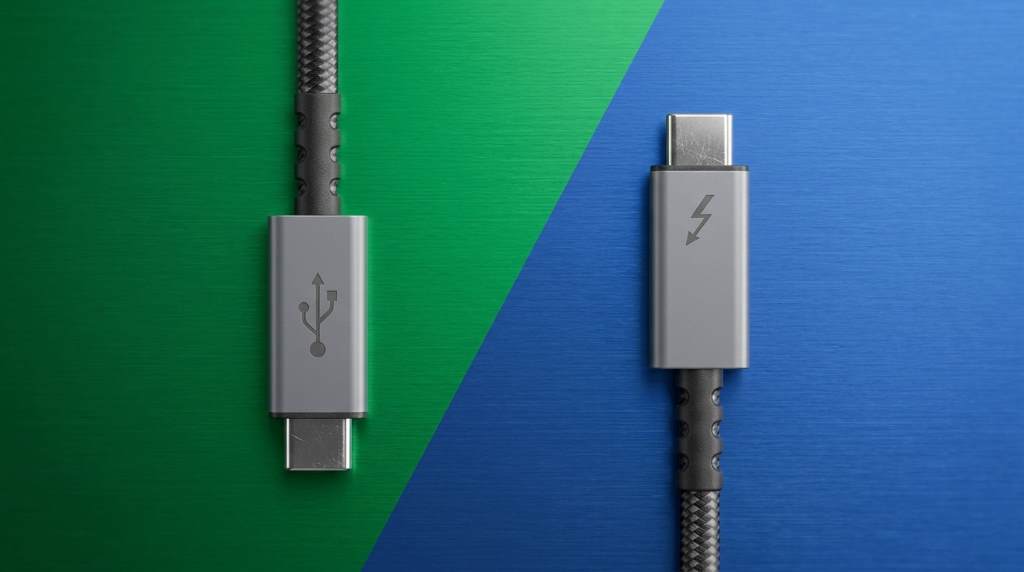
Thunderbolt 5 wins on raw performance, but USB 4 wins on flexibility and device support. If you need extreme bandwidth for pro-level creative work, Thunderbolt 5 is your pick. For most everyday users and mixed-device setups, USB 4 offers more than enough speed at a lower cost.
Connectivity standards have changed faster in the last two years than in the entire previous decade. Today, over 60% of new laptops ship with at least one USB 4 or Thunderbolt port, and buyers are confused about what they actually need. This comparison breaks down the real differences without the jargon.
The Speed Story: Raw Numbers That Actually Matter
USB 4 Gen 2×2 tops out at 20 Gbps, while USB 4 Gen 3×2 pushes up to 40 Gbps. Thunderbolt 5 doubles that ceiling with a staggering 120 Gbps burst bandwidth for display output. For moving large files, the gap becomes very real very fast.
Thunderbolt 5 uses a feature called Bandwidth Boost specifically when driving high-resolution displays. In regular data transfer mode, it runs at 80 Gbps, which is already double what USB 4 Gen 3×2 offers. This makes Thunderbolt 5 a genuinely different class of port for display-heavy workflows.
For a video editor moving 4K RAW files daily, this speed gap translates to saved minutes every single session. For someone streaming music or browsing files, both feel identical. Knowing your actual workflow matters more than chasing the bigger number.
Compatibility: Who Plays Nice With What
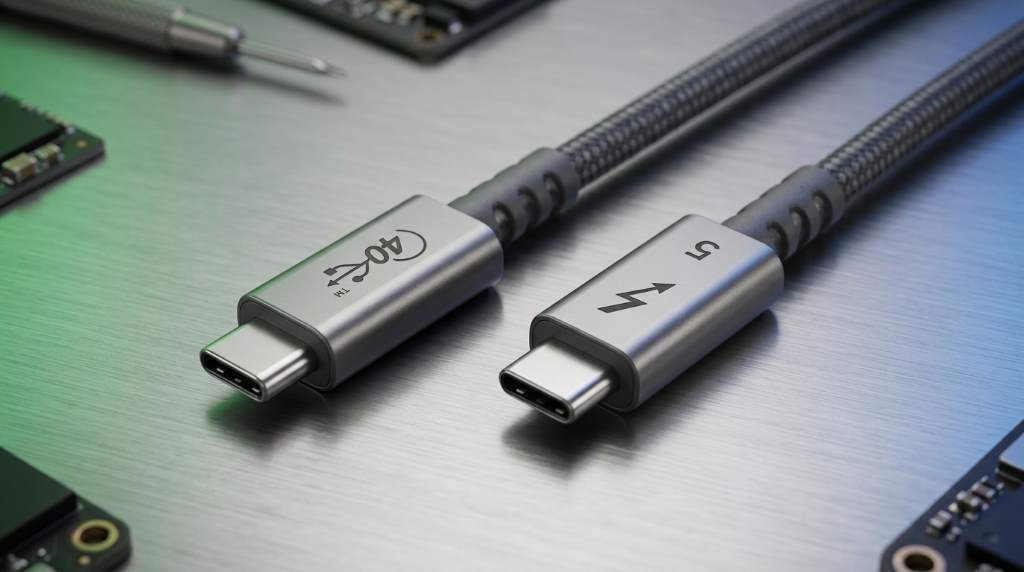
USB 4 is built on the same physical connector as Thunderbolt 3 and 4, which is the USB-C plug. This means USB 4 cables work with a broader range of older and newer devices without extra adapters. The backward compatibility story here is genuinely impressive and worth understanding before you evaluate device security standards for your hardware setup.
Thunderbolt 5 is backward compatible with Thunderbolt 4, 3, and USB 4. However, you need a certified Thunderbolt cable to unlock full speeds. Using a generic USB-C cable with a Thunderbolt 5 port drops you down to USB 3.2 speeds instantly.
This cable dependency is a real frustration for Thunderbolt users. USB 4, by contrast, works reliably across a wider range of cable quality levels. For shared office environments or travel setups, USB 4 causes far fewer headaches.
Device Ecosystem Comparison
- USB 4 devices: Windows laptops, Android phones, USB-C hubs, monitors, docking stations, NVMe enclosures
- Thunderbolt 5 devices: MacBook Pro (M4), select Intel Core Ultra laptops, pro-grade docks, eGPUs, high-refresh-rate displays.
- Both support: Power delivery up to 240W, video output, data transfer, and daisy chaining
Real-World Performance: Beyond the Spec Sheet
Benchmarks tell one story, but daily use tells another. In real-world testing, a Thunderbolt 5 NVMe enclosure sustains read speeds above 6,000 MB/s with the right drive inside. A USB 4 Gen 3×2 enclosure peaks around 3,800 MB/s under similar conditions. That gap matters for high-volume professional workflows.
Engineers working on digital simulation design engineering pipelines will notice the difference when transferring large simulation datasets at speed. Gaming setups also benefit more from Thunderbolt 5 because of eGPU support and low-latency display output. The performance ceiling of Thunderbolt 5 has a real, measurable impact in those contexts.
For home users connecting a monitor, charging a laptop, and occasionally transferring photos, USB 4 handles all of that without breaking a sweat. The truth is that most users will never hit the limits of USB 4 Gen 2×2, let alone Gen 3×2. Matching the tool to the task is the smarter move here.
Latency and Display Output
Thunderbolt 5 supports up to two 8K displays or three 4K displays at 144Hz simultaneously. USB 4 supports up to two 4K displays at 60Hz through DisplayPort Alt Mode. For multi-monitor gaming or professional video work, Thunderbolt 5 has a serious edge here.
Latency in Thunderbolt 5 connections is also notably tighter due to Intel’s proprietary signaling protocol. For audio production and precise visual workflows, this consistency is more than a spec. It is a workflow advantage that adds up over long sessions.
Cost and Availability: The Practical Reality
Thunderbolt 5 devices cost noticeably more right now. A certified Thunderbolt 5 dock runs between $200 and $400. A capable USB 4 dock does a very similar job for $80 to $150, and that price gap is hard to ignore for most buyers.
USB 4 is also more widely available across price ranges. Mid-range laptops from brands like ASUS, Dell, and Lenovo now include USB 4 ports as standard. Thunderbolt 5 still lives mostly in premium ultrabooks and Apple’s latest MacBook lineup, though availability is spreading as Intel’s next-gen chips become more common.
Cables matter here too. A Thunderbolt 5 certified cable runs $30 to $60 on its own. A solid USB 4 Gen 3×2 cable costs between $12 and $25. If you are managing multiple desks or workstations, those cable costs stack up fast.
Power Delivery Capabilities
Both standards support USB Power Delivery up to 240W, which is more than enough for any laptop. Thunderbolt 5 adds a smarter power negotiation system that adjusts based on connected devices. USB 4 handles power delivery well but without the same dynamic optimization layer.
For power users running a laptop, monitor, and peripherals from a single cable, both standards handle the job. Thunderbolt 5 does it with slightly more intelligence in how it manages power across daisy-chained devices. It is a small benefit, but worth knowing if your setup is complex.
Who Should Choose Which Standard
Your daily tasks should drive this decision, not the spec sheet alone. If you edit 6K or 8K video, run multi-display professional setups, or need an eGPU, go Thunderbolt 5 without hesitation. If your workflow involves general computing, remote work, or mixed-device connectivity, USB 4 covers everything you need.
IT professionals managing diverse device fleets will appreciate USB 4’s broader compatibility. Those building systems to manage tasks using digital tools across different operating systems will find USB 4 far less restrictive. Cross-platform flexibility is where USB 4 genuinely earns its reputation.
Gamers should look at what their specific eGPU or display requires. Thunderbolt 5 is the better choice if maximum display refresh rate and low latency matter. For standard 1080p or 1440p gaming through a USB 4 hub, performance is still excellent.
Quick Decision Guide
- Choose Thunderbolt 5 if: You use a Mac, work with 8K video, need multi-display at 144Hz, or run professional audio/video production.
- Choose USB 4 if: You use Windows, need broad device compatibility, work across multiple brands, or are budget-conscious
- Either works fine if: You browse, stream, do office work, casual photography, or connect a single 4K monitor.r
Future-Proofing: Which One Lasts Longer?
USB 4 Version 2 is already finalizing specs that push beyond 80 Gbps. The USB Implementers Forum is building the next generation on the same connector and protocol foundation. This means your USB 4 investment stays relevant for the next several device cycles.
Thunderbolt 5 will likely evolve into Thunderbolt 6 with USB 4 Version 2 integration. Intel and Apple are expected to merge these standards more closely over time. In the long run, the line between USB 4 and Thunderbolt will continue to blur with each new generation.
Buying a device with either standard today means you are well positioned for the next several years. Neither choice is a dead end. Both are actively developed, widely supported, and improving with each chip generation.
The Verdict: Which One Actually Wins?
Thunderbolt 5 is the performance king, but USB 4 is the practical champion for most people. Thunderbolt 5 earns its premium for creative professionals and power users who push hardware to the limit. USB 4 earns its place for everyone else with flexibility, lower cost, and wide ecosystem support.
The right answer depends on your hardware, your budget, and your actual daily tasks. Do not pay a premium for Thunderbolt 5 if your workflow fits comfortably within USB 4’s already impressive limits. However, if you are building a future-ready creative workstation, Thunderbolt 5 is absolutely worth it.
Start by listing your three most hardware-intensive tasks, then check which standard your current peripherals support. That single step will make this decision obvious for your specific situation. Pick the standard that fits your reality, not the one with the bigger number on the box.
Frequently Asked Questions
Is USB 4 the same as Thunderbolt 5?
No, they share the same USB-C connector,r but Thunderbolt 5 offers higher bandwidth and Intel-specific features that USB 4 does not include.
Can I use a USB 4 cable with a Thunderbolt 5 port?
Yes, but you will only get USB 4 speeds because a certified Thunderbolt cable is required to unlock the full Thunderbolt 5 bandwidth.
Is Thunderbolt 5 worth the extra cost?
Only if your workflow involves 8K displays, pro video editing, or eGPU setups; otherwise, USB 4 delivers excellent performance at a noticeably lower price.
Does USB 4 work on Windows laptops?
Yes, USB 4 is fully supported on Windows laptops and is now standard on most mid-range and premium models from major manufacturers.
Which is faster: USB 4 Gen 3×2 or Thunderbolt 4?
USB 4 Gen 3×2 matches Thunderbolt 4 at 40 Gbps, while Thunderbolt 5 surpasses both with up to 80 Gbps standard and 120 Gbps burst speed.