Retro PC Games That Still Hold Up Today
A practical guide to retro PC games that still hold up today: what defines the era, which classics endure, and how to run them without frustration.
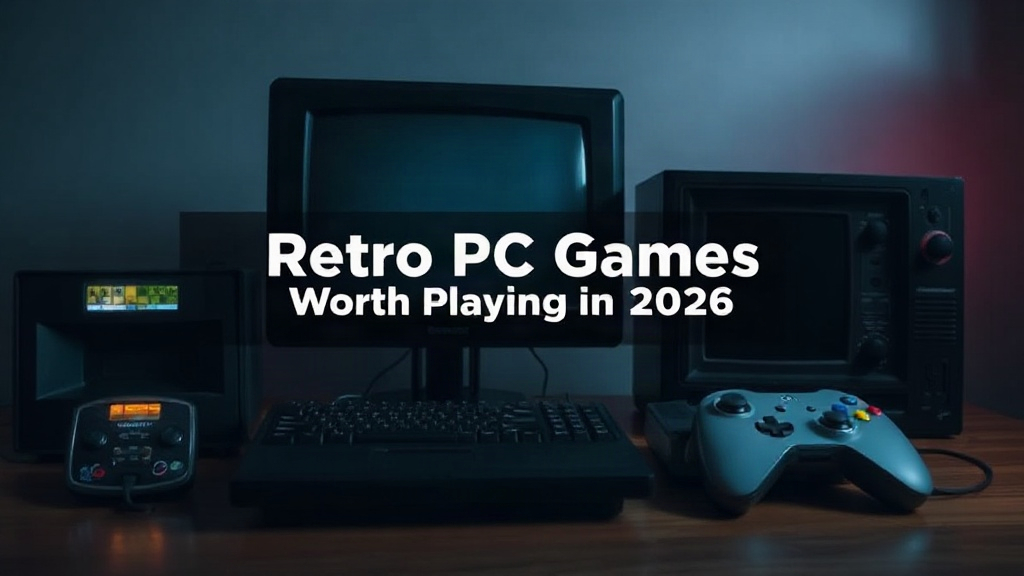
Some games age like milk; others age like good wine. A reader who wants to revisit retro pc games usually asks one question: which old titles are still worth playing in 2026, and which survive only on nostalgia? The gap between those two groups is wider than most people expect. Art direction, tight mechanics, and smart design often outlast the technical limits of the era, while some once-revolutionary blockbusters feel creaky in ways a graphics mod cannot fix. This guide explains what makes an old game endure and how to click here on a short list worth your evening.
Quick answer: Focus on games praised for design rather than raw technology, such as Baldur’s Gate II, Deus Ex, Homeworld, System Shock 2, Planescape: Torment and Thief. Run them through modern source ports or digital re-releases, expect to spend ten minutes on setup, and judge the result by whether its mechanics and story still teach you something.
What is retro pc games?
No official rule defines the cutoff, but “retro PC” generally means games built for DOS, early Windows, or hardware from roughly the 1980s through the early 2000s. That covers 320×200 pixel art, chunky VGA palettes, MIDI soundtracks, and installers that expect a floppy drive. The label describes an era of design constraints, not simply a number of years.
Two qualities separate a retro game from a merely old one. The first is scope: developers of that era worked with tiny memory budgets, so they packed ideas densely. The second is manual-style design. Old manuals explained rules that would now live in a tutorial pop-up, and many of those booklets still read as clear, useful teaching.
A practical test is whether the game needs you to think in ways modern titles rarely demand. Games like Thief and Deus Ex offered systemic problems with several valid solutions. That lineage, traced in overviews of the origins of the immersive sim, shapes how many modern hits are still built.
| Era | Typical hardware | What it feels like |
|---|---|---|
| Mid-1980s | 286, CGA/EGA | Sparse colors, keyboard-only controls |
| Early 1990s | 386/486, VGA, Sound Blaster | 320×200 art, MIDI music, DOS prompts |
| Late 1990s | Pentium, 3D accelerators | Early polygons, CD audio, Windows installs |
| Early 2000s | Pentium III/4, 32 MB GPUs | More detailed 3D, online play becoming common |
Takeaway: Retro is a design era, not a strict date. The games that endure usually solved a design problem so well that later titles borrowed the answer.
Keywords help with discovery, but the era itself is broader than any single genre. Adventure games such as Day of the Tentacle and Grim Fandango, racing sims like Grand Prix Legends, and turn-based strategy titles like Civilization II all belong to the same period yet share almost no mechanics. What unites them is economy of means: small teams, fixed budgets, and tools that forced every feature to justify itself.
Why retro pc games matters
Old games matter because they preserve solutions modern studios have quietly dropped. In the 1990s, developers squeezed huge worlds into 4 MB of RAM. To do it, they cut filler and relied on the player’s imagination, and the result is pacing you rarely find in a 60-hour modern campaign. A game like Planescape: Torment stays famous for its writing, not its combat.
Practical reasons also exist. Thousands of classics run on modest hardware, which matters when new releases ask a lot of your machine. Many are available digitally for a few dollars, and some open-source remakes and source ports are free. Compared with a new console title, the financial risk is low, and the time commitment is often modest.
Skeptics should test this claim directly. Play twenty minutes of Homeworld and notice how elegantly its 3D space combat teaches formation and positioning. Load Baldur’s Gate II and see how much a single spell choice changes a fight. These titles were built to be understood, not merely endured.
Old constraints forced clear priorities. That is why modern indie developers regularly cite 1990s games as references for mechanics rather than visuals.
Takeaway: Retro games reward you with design literacy. Understanding how old systems solved problems makes you a sharper judge of new ones.
Consider preservation as well. Many early titles exist only because hobbyists maintain source code, patch installers, and document fixes. Playing them legitimately supports that ecosystem, and some studios have reissued classics precisely because demand from returning players proved the market real. Each purchase or download signals that these games deserve to remain accessible.
Best practices
Start with a shortlist of three or four titles tied to genres you already enjoy. If you like strategy, begin with Homeworld or Age of Empires II. If you enjoy story, open with Planescape: Torment. Narrowing the field prevents the overwhelm that comes from opening a store page sorted by “classic.”
Check how you will run each game before you buy. Three common routes work:
- Native re-releases through digital storefronts, often with widescreen support and saved settings.
- Source ports rebuilt by communities, which add modern resolution and controller support.
- Official remasters, convenient but sometimes less faithful to the original balance.
Write down the default controls before your first session. Old games assume keyboard-first input, so a short note on movement, inventory and pause helps. Save often and keep two save slots, because old difficulty curves punish mistakes. Read the manual if one is included; many PDFs are short and explain mechanics better than any in-game tutorial.
Finally, give yourself permission to quit. If a game’s first hour feels like a chore, no mod will fix the underlying design. A fair trial is roughly 60 to 90 minutes of playtime.
Takeaway: Pick a genre you already like, verify how the game runs, and treat setup as part of the hobby rather than an obstacle.
Keep a small notes file as you play, recording hotkeys, puzzle solutions, and anything the game explains only once. Classic titles rarely repeat instructions, and a two-line reminder saves a trip to a walkthrough. It also helps to play one game at a time rather than juggling several, since old interfaces demand more memorization than modern ones.
Common mistakes to avoid
The most common mistake is starting with the hardest or most obscure classic. Beginners often pick a notoriously brutal strategy game because a forum called it legendary, then bounce off in frustration. Legends are not always welcoming first steps.
Another trap is judging a game by its default settings. Many classic titles ship with tiny resolutions or stretched aspect ratios. That is a configuration problem, not a flaw in the game, and a quick look at community guides usually resolves it.
Over-modding is a third pitfall. Installing a dozen texture packs and overhaul mods before a first playthrough replaces the original design with someone else’s interpretation. Start vanilla or close to it, then mod on later runs.
Piracy is a real risk worth naming. Unverified downloads can carry malware, and many classics are legally sold at low prices. Buy where you can. Check official storefronts first and treat any unofficial archive site with suspicion.
Finally, avoid marathon sessions with old control schemes. Hand and wrist strain shows up fast on keyboard-heavy interfaces. Take breaks the way you would with any long game.
Nostalgia inflates memories. Expect a few rough edges and judge the game on its best ideas, not on every pixel that aged poorly.
Takeaway: Begin with shorter, friendlier classics, keep your setup simple, and buy legitimately. Most disappointment comes from a poor starting choice rather than from the game itself.
Do not assume a game is broken when it runs too fast, stutters, or ignores your mouse. Old titles were timed to specific processor speeds, and a single community patch or a frame-rate cap usually fixes what looks like a crash. Check the game’s forum thread before concluding the release itself is faulty.
FAQ
How much does it cost to get into retro PC games?
Prices vary widely. Digital re-releases often cost a few dollars during sales, while some source ports are free. You rarely need new hardware, since most classics run comfortably on ordinary laptops.
Do I need a vintage PC to play old games?
Usually not. Source ports and digital re-releases handle modern displays and input devices. Emulation covers titles that never received an official re-release.
Which retro PC game should a newcomer try first?
Match the genre to your taste. Age of Empires II works well for strategy fans, Baldur’s Gate II for role-players, and Deus Ex for anyone who likes open-ended problem solving.
How long before I know whether an old game is for me?
Give it 60 to 90 minutes. If the mechanics still feel interesting after that window, the game has earned more of your time.
Are retro PC games suitable for children?
Some are, but content and difficulty vary. Check age ratings and play a little yourself first, especially with horror titles such as System Shock 2.
Conclusion
The retro pc games that still hold up today share a common trait: their core ideas remain clear and rewarding in 2026. Strong writing, thoughtful mechanics, and dense design survive low resolutions and dated controls. You can enjoy that legacy with modest effort, as long as you pick a genre you already love and accept that setup is part of the process.
Choose one title from the list in this article and give it a focused 90-minute trial this week. If it clicks, follow the trail of similar designers and discover a second classic. Play the games that age like wine, not the ones that age like milk.