
FAQ Schema Compression Tactics for Long Pages

Long FAQ pages can overwhelm both users and search engines. When you have dozens of questions and answers, your page can become sluggish and difficult to navigate. This challenge affects your site’s performance and user experience. Fortunately, smart compression tactics can help you maintain comprehensive content while keeping your pages fast and accessible. Cakra Studio specializes in helping businesses optimize their content structure for better search visibility and user engagement.
Understanding the Challenge of Large FAQ Pages
FAQ pages serve an important purpose. They answer common questions and reduce support requests. However, they often grow too large over time. A typical FAQ page might contain 30, 50, or even 100 question-and-answer pairs. Each pair adds to your page size and load time.
Search engines value comprehensive content, but they also prioritize fast-loading pages. Therefore, you need to balance completeness with performance. This is where faq schema marketing becomes essential. By implementing smart compression strategies, you can maintain rich content while improving technical performance.
Why Page Speed Matters for FAQ Content
Page speed directly impacts your search rankings. Google uses Core Web Vitals as ranking factors. These metrics measure loading performance, interactivity, and visual stability. Large FAQ pages often struggle with these measurements.
Additionally, users expect instant access to information. Research shows that 53% of mobile users abandon sites that take longer than three seconds to load. Your FAQ page might contain perfect answers, but slow loading prevents people from seeing them. This creates a frustrating cycle where valuable content goes unused.
Strategic Content Chunking Methods
Breaking your FAQ content into manageable sections improves both performance and usability. Instead of loading all questions at once, you can organize them into categories. Each category becomes a separate expandable section.
This approach reduces initial page weight significantly. Users only load the sections they need. For example, a software company might divide FAQs into “Getting Started,” “Billing,” “Technical Support,” and “Account Management.” Each section expands on demand.
Furthermore, chunking helps users find answers faster. They can scan category headers instead of scrolling through endless questions. This improves user experience while reducing server load.
Implementing Lazy Loading for FAQ Sections
Lazy loading delays content loading until users need it. This technique works exceptionally well for FAQ pages. Instead of loading all answers immediately, your page loads them as users scroll or click.
Modern JavaScript frameworks make lazy loading simple to implement. You can trigger content loading based on viewport position or user interaction. This reduces initial page size by 60-70% in many cases.
However, you must implement lazy loading carefully. Search engines need to access your content for indexing. Use progressive enhancement to ensure crawlers can still read your FAQs. According to Google’s documentation, properly implemented lazy loading does not harm SEO when done correctly.
Optimizing Schema Markup Size
FAQ schema markup helps search engines understand your content structure. It enables rich snippets in search results. However, extensive markup adds to page size. You need optimization strategies that maintain functionality while reducing bloat.
First, minify your JSON-LD schema. Remove unnecessary whitespace and line breaks. This can reduce schema size by 20-30%. Second, consider splitting schema across multiple pages if you have extensive FAQs. Each page can have its own focused schema markup.
Third, avoid redundant information in your schema. Only include essential fields like “name,” “acceptedAnswer,” and “text.” Skip optional fields unless they provide clear SEO value. This streamlined approach keeps your markup efficient.
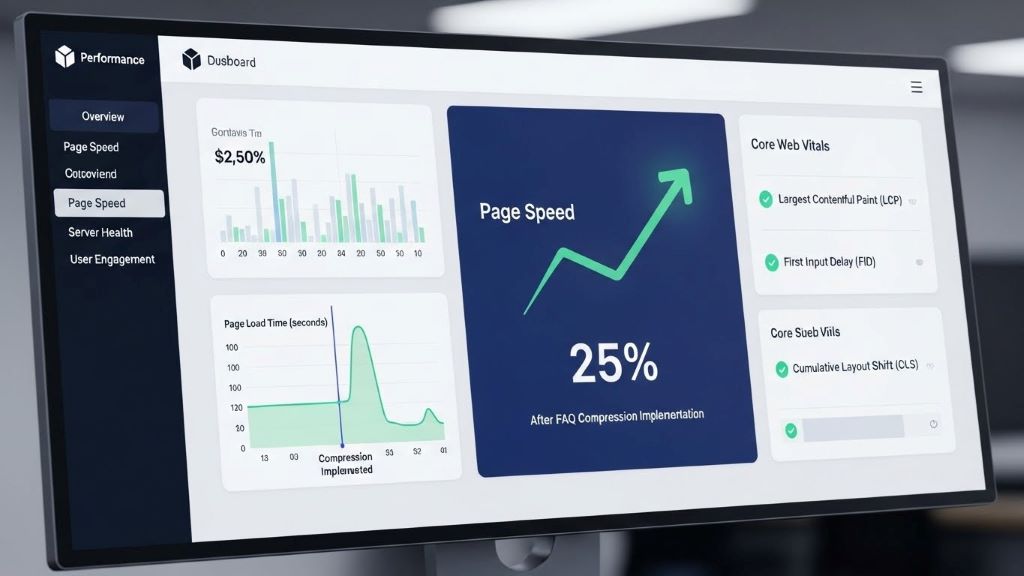
Image and Media Compression Techniques
Many FAQ pages include images, diagrams, or videos. These media elements enhance understanding but increase page weight dramatically. Proper compression becomes critical.
Use modern image formats like WebP, which offers superior compression compared to JPEG or PNG. Compress images to appropriate sizes for their display dimensions. A thumbnail doesn’t need 4K resolution.
Additionally, implement responsive images using srcset attributes. This ensures mobile users download smaller files. Video content should use streaming services rather than direct embedding. Services like YouTube or Vimeo handle compression and delivery efficiently.
Text Compression and Minification
HTML, CSS, and JavaScript files contribute significantly to page weight. Enabling gzip or Brotli compression on your server reduces file sizes by 70-80%. Most modern servers support these compression methods natively.
Minify your code files to remove comments, whitespace, and unnecessary characters. Tools like HTMLMinifier, CSSNano, and UglifyJS automate this process. The Mozilla Developer Network provides excellent guidance on CSS performance optimization.
Your FAQ content itself can be compressed through smart formatting. Remove redundant phrases and filler words. Use concise language that delivers information efficiently. Each sentence should serve a clear purpose.
Caching Strategies for FAQ Pages
Browser caching stores page elements locally on user devices. When visitors return to your FAQ page, cached elements load instantly. This dramatically improves perceived performance.
Set appropriate cache headers for static resources. Images, stylesheets, and scripts can have long cache durations. Your FAQ content might change more frequently, so use shorter cache times or implement cache versioning.
Consider implementing service workers for advanced caching control. They enable offline access and instant page loads for returning visitors. This creates an app-like experience even with content-heavy pages.
Database Query Optimization
If your FAQ system pulls content from a database, query efficiency matters enormously. Poorly optimized queries can add seconds to page load time. Review your database structure and indexing strategy.
Create indexes on frequently queried fields. Use query caching to store common results. Implement pagination to limit the number of FAQ items loaded per request. These backend optimizations complement your frontend compression tactics.
Moreover, consider using a content delivery network for database-driven content. CDNs cache dynamic content at edge locations, reducing database load and improving global response times.
Mobile-First Compression Approaches
Mobile devices have limited bandwidth and processing power. Your compression strategy must prioritize mobile users. Start with mobile optimization, then enhance for desktop.
Implement accelerated mobile pages if appropriate for your use case. Use responsive design that serves appropriately sized resources. Test your FAQ page on actual mobile devices under realistic network conditions.
Remove non-essential elements from mobile views. Desktop users might appreciate decorative images, but mobile users prioritize speed and direct answers. Conditional loading based on device type optimizes the experience for all users.
Monitoring and Testing Performance
Regular performance monitoring ensures your compression tactics remain effective. Use tools like Google PageSpeed Insights, GTmetrix, and WebPageTest to measure improvements. Track Core Web Vitals in Google Search Console.
Establish performance budgets for your FAQ pages. Set maximum limits for page weight, load time, and resource counts. This prevents performance degradation as you add new content.
Additionally, conduct A/B testing on different compression strategies. Measure the impact on user engagement, time on page, and conversion rates. Technical performance should translate to better business outcomes.
Balancing Compression with Content Quality
Compression should never compromise content quality. Your primary goal remains providing helpful answers to user questions. Technical optimization serves this purpose rather than replacing it.
Maintain comprehensive answers even while optimizing delivery. Use compression to improve access to your content, not to reduce its value. Test compressed pages with real users to ensure clarity and helpfulness remain intact.
Furthermore, continue expanding your FAQ content as needed. Good compression tactics allow you to scale content without performance penalties. This creates a sustainable system that grows with your business.
Conclusion
FAQ schema compression requires a multi-faceted approach combining technical optimization with user-centered design. By implementing strategic chunking, lazy loading, and efficient schema markup, you can maintain comprehensive FAQ content while delivering fast page speeds. Image compression, text minification, and smart caching further enhance performance across all devices.
These tactics directly impact your search rankings and user satisfaction. Fast-loading FAQ pages provide better experiences, reduce bounce rates, and improve conversion rates. Regular monitoring ensures your optimization efforts produce lasting results. Remember that compression serves your content, making valuable information accessible to everyone who needs it.
Frequently Asked Questions
What is FAQ schema markup and why does it matter?
FAQ schema markup is structured data that helps search engines understand your question-and-answer content. It enables rich snippets in search results, which can increase click-through rates. Properly implemented schema also improves how search engines index and display your content.
How much can compression reduce FAQ page load times?
Effective compression strategies typically reduce page load times by 40-70%. The exact improvement depends on your starting point and which techniques you implement. Combining multiple compression methods produces the best results.
Does lazy loading hurt SEO for FAQ pages?
When implemented correctly, lazy loading does not harm SEO. Search engine crawlers can access lazy-loaded content if you use progressive enhancement and server-side rendering. Always test your implementation with Google Search Console to ensure proper indexing.
What is the ideal length for an FAQ page?
There is no universal ideal length. Focus on answering all relevant questions comprehensively rather than hitting a specific word count. Use compression tactics to handle longer pages efficiently. Quality and completeness matter more than arbitrary length limits.
How often should I update my FAQ page compression strategy?
Review your compression strategy quarterly or whenever you make significant content additions. Monitor performance metrics monthly to catch degradation early. Update your approach as new compression technologies and best practices emerge.
Related Topics:
Amazon Kindle Scribe Tablet Alternative: What’s the Best Choice?