
Fix Muddiness in Budget Headphones at Home
Budget headphones often sound unclear and muffled. This problem frustrates many listeners. The good news is that you can improve sound quality without spending extra money. The experts at Headphones Unboxed have tested hundreds of audio devices. They know what works for fixing muddy sound. This guide shows you simple ways to make your affordable headphones sound better at home.
Muddy sound happens when bass frequencies overpower mid and high frequencies. This creates a cloudy listening experience. Your music loses detail and clarity. However, several techniques can restore balance to your audio. These methods work for most budget headphone models.
Understanding What Causes Muddy Sound
Budget headphones often have unbalanced sound profiles. Manufacturers boost bass to make products seem impressive. Unfortunately, this masks vocals and instruments. Additionally, poor fit allows sound to escape. This reduces overall quality and creates that muddy feeling.
Dirt and earwax also contribute to the problem. They block sound pathways in earbuds. Over time, this buildup makes everything sound worse. Therefore, regular cleaning is essential. Many people overlook this simple maintenance step.
Furthermore, your audio source matters significantly. Low-quality music files compress audio data. This removes fine details from recordings. Streaming services at low bitrates create similar issues. Learning how to make headphone quality better involves addressing multiple factors that affect your listening experience.
Clean Your Headphones Properly
Start with thorough cleaning. Remove ear tips from earbuds carefully. Wash them with warm soapy water. Let them dry completely before reattaching. Use a soft brush to clean mesh screens gently. Avoid pushing debris further inside.
For over-ear headphones, wipe ear pads with a damp cloth. Check for dust in driver housings. Cotton swabs help reach tight spaces. However, never use excessive moisture. This can damage internal components permanently.
Clean your headphones weekly if you use them daily. Monthly cleaning works for occasional listeners. This simple habit dramatically improves sound clarity. Moreover, it extends headphone lifespan significantly.
Adjust Equalizer Settings
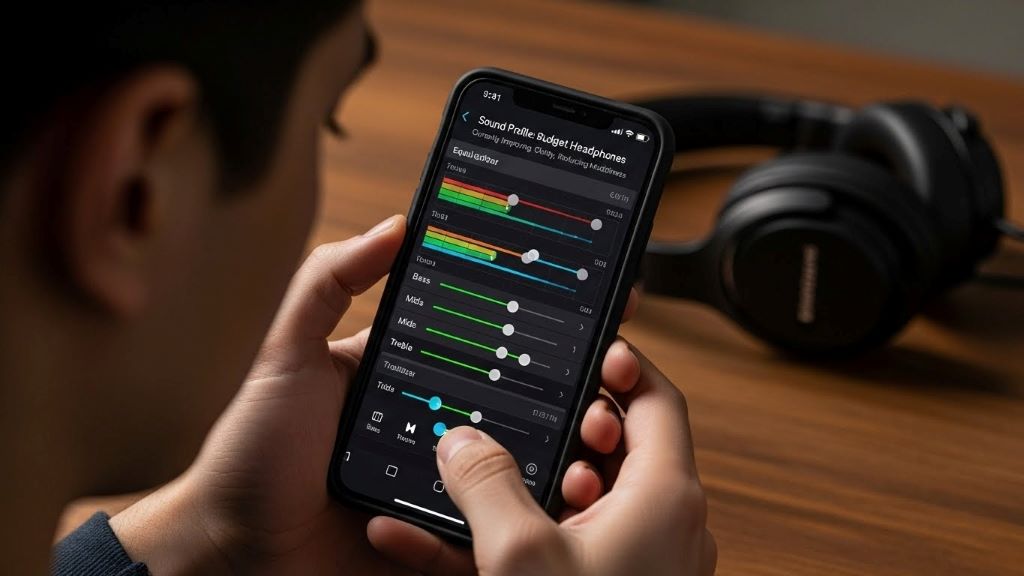
Most devices include built-in equalizers. These tools reshape your sound profile. Open your phone or computer audio settings. Look for the equalizer or EQ option. You will see several frequency bands.
To reduce muddiness, lower the bass frequencies first. These typically range from 60Hz to 250Hz. Start by decreasing them by 2-3 decibels. Next, boost mid frequencies slightly. This range sits between 500Hz and 2000Hz. These frequencies carry vocal clarity and instrument definition.
Additionally, raise high frequencies a bit. This adds sparkle and detail to music. Make small adjustments and test frequently. Dramatic changes often sound unnatural. Save your custom EQ preset for future use.
Many streaming apps offer EQ settings too. Spotify, Apple Music, and YouTube Music all include this feature. According to Consumer Reports, proper EQ adjustment can transform budget audio equipment performance without additional investment.
Improve Headphone Fit and Seal
Proper fit dramatically affects sound quality. For earbuds, try different ear tip sizes. Most come with small, medium, and large options. The right size creates a seal. This prevents bass from escaping.
Insert earbuds correctly by pulling your earlobe down slightly. Twist the earbud gently until it feels secure. You should feel mild pressure but no pain. A good seal makes bass sound deeper and clearer.
Over-ear headphones need proper positioning too. Adjust the headband so cups sit squarely over your ears. The seal around your ears should feel complete. Glasses and earrings can break this seal. Remove them when possible for better sound.
Furthermore, worn-out ear pads reduce sound quality. Replace them if they feel flat or torn. New pads are inexpensive and easy to install. This simple upgrade often eliminates muddiness completely.
Use Higher Quality Audio Files
Streaming quality settings significantly impact sound. Most services default to lower quality for data savings. Change this in your app settings. Select the highest quality option available.
Spotify offers “Very High” quality at 320 kbps. Apple Music provides lossless audio. Tidal and Amazon Music HD deliver even higher resolution. These formats preserve more audio information. Therefore, your music sounds clearer and more detailed.
Downloaded music files should be high quality too. Avoid files below 256 kbps bitrate. MP3 files at 320 kbps work well. However, lossless formats like FLAC sound even better. They contain all original recording data.
Additionally, avoid excessive volume normalization. This feature can compress dynamic range. Turn it off for better audio quality. Your music will sound more natural and spacious.
Try Foam Ear Tips
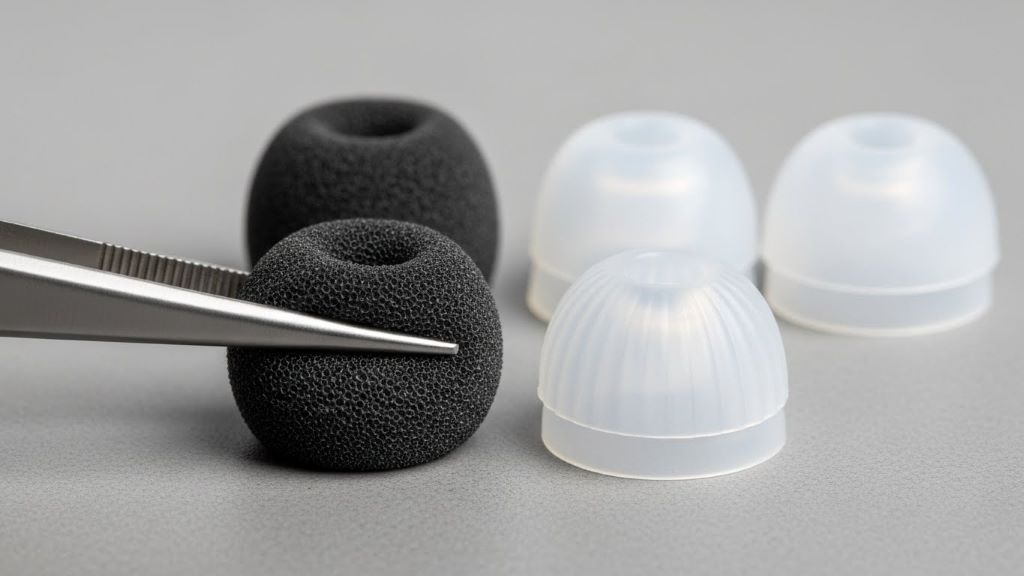
Foam tips improve sound for many listeners. They create better seals than silicone tips. This enhances bass response and blocks external noise. Memory foam tips compress when inserted. Then they expand to fill your ear canal.
Popular brands include Comply and Dekoni Audio. These tips cost between ten and twenty dollars. However, they transform budget earbud performance. Many users report dramatic improvements in clarity.
Moreover, foam tips increase comfort for long listening sessions. They feel softer than silicone alternatives. Replace them every few months as they wear out. This maintains optimal sound quality consistently.
Add a Headphone Amplifier
Budget headphones sometimes lack power from phone or laptop outputs. A small headphone amplifier boosts signal strength. This reduces distortion and improves clarity. Portable amplifiers cost as little as thirty dollars.
These devices sit between your audio source and headphones. They provide cleaner, stronger signals to drivers. This helps headphones perform at their best. However, not all budget headphones benefit equally.
Headphones with higher impedance gain more from amplification. Check your headphone specifications first. Models below 32 ohms rarely need amplification. Those above 50 ohms often benefit significantly.
Furthermore, amplifiers with built-in DACs improve quality further. These convert digital signals to analog more accurately. The New York Times technology section frequently reviews affordable audio equipment that can enhance your listening experience without breaking the bank.
Break In Your Headphones
New headphones often sound stiff initially. Driver components need time to loosen. This process is called breaking in. Play music at moderate volume for several hours. Some audiophiles recommend 40 to 50 hours of use.
The sound gradually becomes smoother and more balanced. Bass tightens up while maintaining depth. Mid and high frequencies open up naturally. However, scientific evidence for this remains debated.
Nevertheless, many listeners report noticeable improvements. Whether physical changes occur or your ears adjust remains unclear. Either way, give new headphones time before judging their quality. Initial impressions can be misleading.
Use Acoustic Treatment for Open-Back Headphones
Open-back budget headphones leak sound intentionally. This creates a spacious soundstage. However, room acoustics affect what you hear. Hard surfaces reflect sound waves. This creates muddiness and confusion.
Add soft furnishings to your listening space. Curtains, rugs, and upholstered furniture absorb reflections. This creates cleaner sound. Additionally, avoid listening in completely empty rooms. These spaces create excessive echo.
Position yourself away from walls when possible. This reduces early reflections that muddy sound. Small changes to your environment make surprising differences. Moreover, these improvements benefit speakers too.
Check Your Audio Source Settings
Your phone or computer might have enhancement features enabled. These often degrade sound quality. Disable options like bass boost, surround sound, and spatial audio. These features rarely improve budget headphone performance.
Windows includes audio enhancements in sound settings. Mac computers have sound effects options. Turn everything off for purest sound. Let your equalizer do the work instead. This gives you more precise control.
Additionally, disable sound normalization features. These compress dynamic range unnecessarily. Music should have quiet and loud moments. Compression makes everything the same level. This creates fatigue and reduces clarity.
Consider Cable Upgrades for Wired Models
Budget headphones often include cheap cables. These can introduce interference and signal loss. Upgrading to better cables sometimes helps. Look for cables with proper shielding.
However, improvements from cable upgrades are subtle. Do not expect dramatic changes. Only consider this after trying other methods. Expensive cables rarely justify their cost for budget headphones.
Nevertheless, damaged cables definitely degrade sound. Check for kinks, breaks, and loose connections. Replace obviously damaged cables immediately. New cables cost much less than new headphones.
Conclusion
Fixing muddy sound in budget headphones requires multiple approaches. Start with cleaning and proper fit. These free solutions often solve the problem immediately. Next, adjust your equalizer settings carefully. Small changes make big differences.
Consider upgrading to higher quality audio files. This reveals details your headphones can reproduce. Foam ear tips and proper positioning enhance seal and comfort. Additionally, disable unnecessary audio enhancements on your devices.
These techniques work together to dramatically improve sound quality. You do not need expensive equipment for clear audio. Moreover, regular maintenance keeps headphones performing well. With patience and experimentation, your budget headphones can sound surprisingly good. Try these methods today and enjoy clearer, more detailed music.
Frequently Asked Questions
Why do my budget headphones sound muddy?
Budget headphones often have unbalanced sound with excessive bass. Poor fit, dirty components, and low-quality audio files also contribute to muddy sound. Addressing these issues simultaneously produces the best results.
Can cleaning really improve headphone sound quality?
Yes, cleaning removes earwax and debris that block sound pathways. This immediately restores clarity and detail. Regular cleaning prevents buildup and maintains optimal performance over time.
What equalizer settings reduce muddiness?
Lower bass frequencies between 60Hz and 250Hz by 2-3 decibels. Boost mid frequencies from 500Hz to 2000Hz slightly. This rebalances your sound profile and increases vocal clarity significantly.
Are foam ear tips worth buying for earbuds?
Foam tips create better seals than silicone alternatives. This improves bass response and blocks external noise. Most users notice significant sound quality improvements. They cost between ten and twenty dollars typically.
Do I need an amplifier for budget headphones?
Most budget headphones below 32 ohms do not need amplification. However, models with higher impedance benefit from portable amplifiers. These devices cost around thirty dollars and reduce distortion while improving clarity.
Related Topics: